Leaderboard
-
CodeExplorer
Team Member121Points4,484Posts -
whoknows
Full Member+11Points1,970Posts -
VB56390
Full Member10Points145Posts -
Kurapica
Full Member+10Points1,130Posts
Popular Content
Showing content with the highest reputation since 11/16/2025 in all areas
-
.NET Reactor v7.3 (Embedded DLL's)
4 pointsHere we go, after the above step with slayer - Decrypt Methods unckecked; // Token: 0x0600081D RID: 2077 RVA: 0x0006E2E8 File Offset: 0x0006C4E8 [MethodImpl(MethodImplOptions.NoInlining)] internal unsafe static void qp1d5IbOJ() { Just fill at 006C4E8 with 062A so will change the body of method qp1d5IbOJ to a simple ret. after that we have a working file and we can deobfuscate with BabelDeobfuscator. Here is working unpacked file: https://workupload.com/file/3JqMck9ZtYR4 points -
StrongName tools - source code C#
4 pointsStrongName tools: - added SamePKT tool - added 64 bits support for all tools StrongName2.rar4 points -
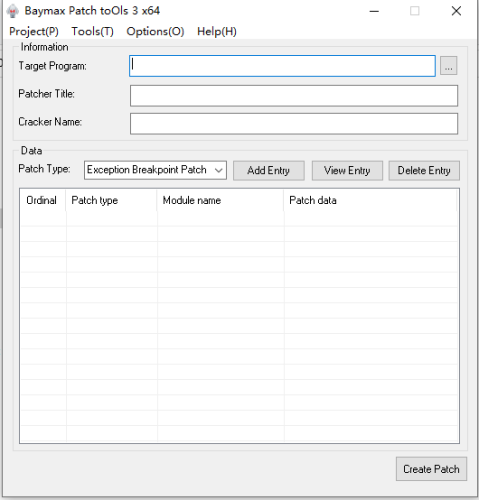
Baymax Patch toOls
4 points2025.10.15 — x86/x64 v3.5.1.3 1.Patch customization: added a batch of hijack DLLs and you can configure hijack modules on the "Custom Patch Settings" page. Patches can now bundle custom files — non-PE files will be extracted to the target directory together with the patch, while other files can be optionally extracted. Patch data in the cracking modules PYG/PYG64 now supports dynamic expansion. 2.Added a small utility: “Process Hijack DLL Detector” — provides a closed loop from detecting usable hijack DLLs → generating a hijack DLL project → adding that custom hijack module into a patch. 3.The hijack code generator is now compatible with the latest VS2022; fixed intermediate directory settings. 4.When the patch logo popup is closed, the target application's main window is brought to the foreground. 5.The main program now generates a dump file when it crashes. 6.Fixed compatibility issues with VMP 3.x and several bugs — thanks to csjwaman and 真小白 for their bug reports. 7.Added tooltip (tip bubble) support on UI controls so full text can be displayed. 8.Thanks to KuNgBiM and 红豆 for providing multilingual files and proofreading copy. 9.Improved data protection, compatibility, and anti-debugging; thanks to kxoe for the suggestions. 10.Minor UX/details optimizations in the main program — for example, improved prompts when saving bpt projects. Baymax Patch Tools v3.5.1.3.zip Baymax Patch Tools x64 v3.5.1.3.zip Baymax toOls for x64dbg v1.9.5 1. Add replacement function for search data 2. Add feature code option with real-time effect 3. Add more language files Baymax toOls for x64dbg v1.9.5.zip4 points -
BinaryShield (Custom VM)
3 pointsI wanted to devirtualize it manually so I made a disassembler for it using the new yara-x to locate the handlers and the bytecode. Probably going to turn it into a full devirtualizer from binaryshield bytecode straight to x86_64. I saw these values(the one in the cmp comment) put them as input since it was valid I didn't go further. You can find my work at https://github.com/xlatbx59/Bshld, the file with the disassembly is at https://github.com/xlatbx59/Bshld/blob/master/binshield.txt. It was fun to reverse3 points -
NAMITAKE Crackme
2 pointsLanguage : C/C++ Platform : Windows x32 OS Version : ( Windows 7,10) Packer / Protector : None Description : Goal : Find correct key. Enter key in textbox and click OK button then you see result . Screenshot : crackme_release.exe2 points -
NAMITAKE Crackme
2 pointsVery nice crackme Salin! Noticed couple of things and gave it a try,its using a recrusive function that looked like Fbonacci but with a twist - when n equals 8 it returns the first character of my input XORed with 0x78 instead of the normal Fibonacci value. Code computes fib(14) and compares it against specific values in a switch statement. I knew standard fib(14) is 377 which equals 0x179. Working backwards since fib(8) gets replaced with char[0] ^ 0x78 , i needed to figure out what value makes the sequance land on 377. Turns out fib(8) needs to be 21 for this to work. So char[0] ^ 0x78 = 21 which means char[0] = 21 ^ 0x78 = 0x6D = 'm' There's a loop that validates characters 3 through 9 using a table at byte_411BFC. The validation formula : fib(i+8) - fib(i+6) == byte_411BFC[i] ^ char[3+i] Just rearranged it to solve for each character and u get : a, m, b, i, q, u, e. Now characters 1 and 2 were trickier. Character 1 determines a value dl through another Fibonacci call and character 2 gets XORed with that. There's a secondary check involving fib(17) that needs to equal 1597. After some trial and error found that char[1] = 'o' gives the right Fibonacci value, and char[2] = 'z' satisfies the XOR constraint. And if we finally put it all together we get a valid serial for this amazing crackme which is : mozambique I ran it through checksum calculation and got 0x12D4. Some code where it compares : 0040134B | 893D 20434100 | mov dword ptr ds:[414320],edi | 00401351 | 81FF D4120000 | cmp edi,12D4 |2 points -
DNGuard HVM v4.93
2 points -
DNGuard HVM v4.93
2 points -
Revteam Reverse Engineering Collection
2 points -
Compiling Unlicense
2 pointsHere compiled unlicense with codeexplorer's fixes: unlicense compiled With pyton 3.09 and 3.11 versions.2 points
-
AT4RE Power Loader
1 pointComing Soon... AT4RE Power Loader v1.8 New Feature Added [+] Execute Target with Spicific Parameter. Feature Requested By: CodeExplorer | SND Team. Test Files https://mega.nz/file/rMY1VaYK#jTsG42OJFlsMvumEOGNC5cPOPm4u3ncOVHbnMgampnARAR Pass: www.at4re.net1 point -
create backup(from olly) functionality in x64dbg
My previous video link is dead. Here below you can watch how to use my plugin.1 point
-
Which .NET protector is really the hardest?
DNGuard HVM IS the strongest so far. PVLOG dotNet Protector although it's a bit old is another beast, at least for me.1 point
-
The Enigma Protector x64 v7.4 (HWID Lock)
The post should be fixed now. I think it was the way it was attached that was the problem... Ted.1 point -
The Enigma Protector x64 v7.4 (HWID Lock)
@Teddy Rogers I can't watch any video in this thread ! Is the video feature broken?1 point -
The Enigma Protector x64 v7.4 (HWID Lock)
1 point
-
DNGuard HVM v4.93
1 pointSir i created those tools. And took some references from JitUnpacker https://github.com/wwh1004/JitUnpacker-Framework1 point -
DNGuard HVM v4.93
1 pointReminds me old days: nelpats/DNGuard-InvalidMD: The easiest way to remove DNGuard Invalid-MD1 point
-
HPE Gen10 SmartMemory Authentication Bypass: Need help identifying the secondary Digital Signature
1 pointFound this last week when I was looking for gen9 bios/firmwares http://dl.mobinhost.com/Firmware/HP/iLO/ @kao Yes, gen10 is iLO5. It might be the same check on both generations, so maybe checking old iLO4 would also work... @Niutish Can the memory be programmed by soft or it can only be done via hw? Does CH341A works for this? PS: I have never reversed fw/bios, but I guess it can be backtraced from here? LDR R3, [R10,#0x10] MOV R2, R5 ADD R0, SP, #0x194+var_64 MOV R1, #0x40 ; '@' BL 0x3EEFFE0 LDR R2, [SP,#0x194+var_178] ADR R1, aMemoryModuleIs ; "Memory module is HP SmartMemory"EDIT: According to this pdf https://www.cpi.co.jp/wp/wp-content/uploads/2025/01/Understanding-DDR4-SPD-Table-by-CST.pdf bytes 0x143-0x144 are the manufacturing date. CRC should be at 0x17E-0x17F1 point
-
HPE Gen10 SmartMemory Authentication Bypass: Need help identifying the secondary Digital Signature
1 pointTo avoid blind guessing, I suggest you to get old iLO firmware packages and analyze them. See what conditions must be fulfilled in order to get the "SmartMemory" status. If my google-fu is working, Gen10 servers use iLO5, here is it's general spec: https://www.hpe.com/us/en/collaterals/collateral.c04154343.html, and here are the download links https://support.hpe.com/connect/s/softwaredetails?language=en_US&collectionId=MTX-2dc80c4ae4b943fa. It would appear that older firmware packages didn't use any encryption, just some (trivial) compression, making the job so much easier.1 point -
How to fix python syntax errors (f-string..backslash & unmatched '(') etc?
Maybe you need to update your Python? Python 3.12.4 (tags/v3.12.4:8e8a4ba, Jun 6 2024, 19:30:16) [MSC v.1940 64 bit (AMD64)] on win32 Type "help", "copyright", "credits" or "license" for more information. >>> display_ids = ["first", "second", "third"] >>> print(f'Available audios:\n{"\n".join(f'{i:2}. {j}' for i, j in enumerate(display_ids, 1))}\n') Available audios: 1. first 2. second 3. third1 point -
Compiling Unlicense
1 pointgit clone https://github.com/ergrelet/unlicense.git cd unlicense ### Replace the necessary files with your updates pip install --upgrade pip pip install . pip install pyinstaller pyinstaller unlicense.spec1 point -
DNGuard HVM v4.93
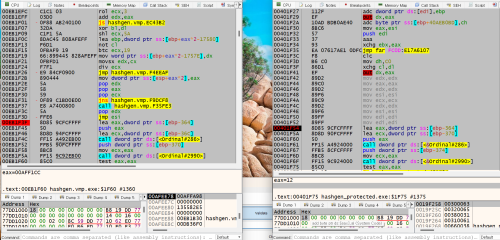
1 point- 49 downloads
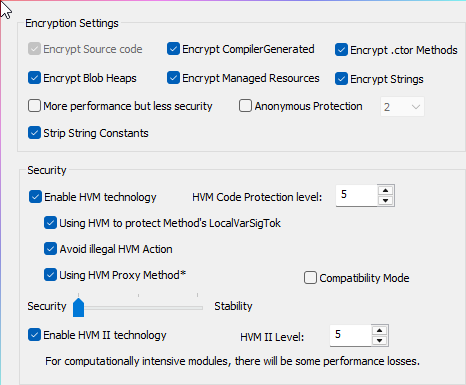
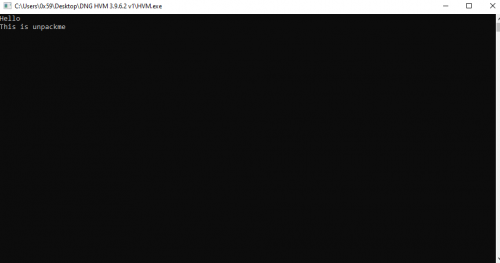
So this is my first upload - I hope I am doing this right. I have included all the protections in the screenshots being used. Good luck1 point -

Revteam Reverse Engineering Collection
Server is up , woth better uplink !Use webdav client. like WinSCP host : https://eddynet.cz:9865 u: learn p: 4EKS9umUYme3WAZrC1 point -
Reverse Engineering Denuvo in Hogwarts Legacy
Reverse Engineering Denuvo in Hogwarts Legacy Slides Sogen Emulator Source Ted.1 point -
REDasm Disassembler
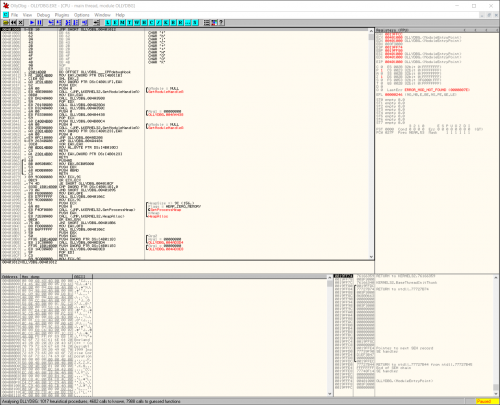
1 pointHi! This is my first post on tuts4 you I hope that this is the right section, if not, please delete this post! Ok so... Few months ago I have made public my internal project called REDasm on GitHub. Basically it's a cross platform disassembler with an interactive listing (but it's still far, if compared to IDA's one) and it can be extended with its API in order to support new formats, assemblers and analyzers. Currently it supports: Portable Executable VB5/6 decompilation . It can detect Delphi executables, a decompiler is WIP. .NET support is WIP. Debug symbols are displayed, if available. ELF Executables Debug symbols are displayd, if available. DEX Executables Debug symbols are displayed, if available. x86 and x86_64 is supported. MIPS is supported and partially emulated. ARM support is implemented but still WIP. Dalvik assembler is supported. Most common assemblers are implemented by using Capstone library, Dalvik assembler is written manually and even the upcoming MSIL/CIL assembler will be implemented manually. The entire project is written in C++ and its UI is implemented with Qt5, internally, the disassembler is separated in two parts: LibREDasm and UI. LibREDasm doesn't contains any UI related dependencies, it's just pure C++, one day I will split it in two separate projects. Some links with source code, nightlies and wiki: Source Code: https://github.com/REDasmOrg/REDasm Nightly Builds (for Windows and Linux): https://github.com/REDasmOrg/REDasm-Builds Wiki: https://github.com/REDasmOrg/REDasm/wiki And some screenshots:1 point -
TX-02 Berkeley Mono Fontface
1 pointDear friends Berkeley Mono Font face is updated to version2. They included ligatures (nerd glyphs) directly in this build. The font face is 75$ for developer use only (no commercial use.) I have included this fontface so you can try them. Enjoy! Homepage hxxps://usgraphics[.]com/products/berkeley-mono Archive Pass: Download tx-02-berkeley-mono-pass=SCT.7z1 point -
AT4RE Power Loader
1 point1 point
-
Eazfuscator.NET v2025.01
1 point -
BinaryShield (Custom VM)
1 pointhi, i am new to devirtualization topic and this challenge was very good for beginners and me. first, my goal was not just obtain the keys but devirtualize whole function automatically and recompile back to be able to patch it. i lifted handlers to LLVM IR and recompiled in a new binary to analyze it this is my final output i know its a little difficult to read, but at least you can see the correct keys clearly if you look at if statements. sadly, code crashes at runtime, i dont know why. it will probably take really long time to identify the problem. i dont think i will do that. maybe i might try VTIL instead of LLVM. i would like to see others approaches on fully devirtualizing this vm. great challange again.1 point
-
WinLicense v3.1.3.0 x86 (All Protection Options)
Here check by yuorself. I think Lena tutorial and script made by LCF-AT help yuo to learn it deeply during many years(it depends on everyone ) perhaps less 3years.1 point -
WinLicense v3.1.3.0 x86 (All Protection Options)
Although the administrator @Teddy Rogers has already said in this topic: But I don't expect you to provide your ready-made solution. Since the sample provided for this topic happened to be protected by this protector, you released a RAR package for this challenge. Some files in your RAR package are deliberately VM some code snippets. I guess you are worried about others reverse engineering your source code while satisfying your vanity. You can show off, no one limits you. As I mentioned before, I don't mind. What do the viewers of this topic get? It's a joke. In addition, I re-uploaded the RAR package that you deleted. https://forum.tuts4you.com/topic/44125-winlicense-v3130-x86-all-protection-options/page/4/#findComment-224173 WL_3.13_x86_KeyGen.rar1 point -
WinLicense v3.1.3.0 x86 (All Protection Options)
Hey, @lengyue I did not say to you. I just asked a question where the @TRISTAN Pro's tutorial is if it exists. Calm down please. Regards. sean.1 point -
WinLicense v3.1.3.0 x86 (All Protection Options)
Where is the @TRISTAN Pro's tutorial? Regards. sean.1 point -
An easy way to decrypt VBS worm
1 point -
Coding Version.dll in Delphi To Patch EXE
1 point
-
Coding Version.dll in Delphi To Patch EXE
Use version.ASM to load your dll. compile with fasm.1 point
-
BinaryShield (Custom VM)
1 pointFun and not too difficult challenge. I always like me some VM crackmes Valid keys: Had enough fun reversing this so I made a full writeup with disassembler and devirtualized code: https://blog.washi.dev/posts/binaryshield-vm-crackme/1 point -
VMProtect Heaven's Gate Anti-Debug Bypass to VectorHandler
I have already conducted testing before, and if you compile the 32-bit plugin according to the original source code provided here (https://bbs.kanxue.com/thread-282244.htm). Original 32-bit (Imperfect Version).zip This plugin is effective on Win7 x64 SP1; But it fails in Win10/11 x64. e.g. VMP_3.8.7_x86_32-bit.vmp.exe Win7 x64 SP1 √ Win10 x64 × Win11 x64 × By recompiling the 32-bit plugin according to the modified code provided by karan, the above issue has been resolved. The revised and recompiled complete version is now uploaded as follows, and has been tested to be effective in Win7/10/11 x64. ScyllaHide_2024_x86_x64_v0.002.zip1 point -
VMProtect Heaven's Gate Anti-Debug Bypass to VectorHandler
I tested the original author's code and found that it doesn't seem to bypass the protection properly on x86 systems. VMProtect does not appear to search through the entire Export Table to find the desired function. So, I modified the code to overwrite the last export function of ntdll.dll with wine_get_version and then place the original function right after it. As a result, the bypass worked successfully! void AddWineFunctionName(HANDLE hProcess) { BYTE* remote_ntdll = (BYTE*)GetModuleBaseRemote(hProcess, L"ntdll.dll"); if (!remote_ntdll) return; SIZE_T readed = 0; IMAGE_DOS_HEADER dos_header; ReadProcessMemory(hProcess, remote_ntdll, &dos_header, sizeof(IMAGE_DOS_HEADER), &readed); if (dos_header.e_magic != IMAGE_DOS_SIGNATURE) return; IMAGE_NT_HEADERS pe_header; ReadProcessMemory(hProcess, (BYTE*)remote_ntdll + dos_header.e_lfanew, &pe_header, sizeof(IMAGE_NT_HEADERS), &readed); if (pe_header.Signature != IMAGE_NT_SIGNATURE) return; DWORD export_adress = pe_header.OptionalHeader.DataDirectory[IMAGE_DIRECTORY_ENTRY_EXPORT].VirtualAddress; if (!export_adress) return; DWORD export_size = pe_header.OptionalHeader.DataDirectory[IMAGE_DIRECTORY_ENTRY_EXPORT].Size; BYTE* new_export_table = (BYTE*)VirtualAllocEx(hProcess, remote_ntdll + 0x1000000, export_size + 0x1000, MEM_COMMIT | MEM_RESERVE, PAGE_EXECUTE_READWRITE); IMAGE_EXPORT_DIRECTORY export_directory; ReadProcessMemory(hProcess, remote_ntdll + export_adress, &export_directory, sizeof(IMAGE_EXPORT_DIRECTORY), &readed); BYTE* tmp_table = (BYTE*)malloc(export_size + 0x1000); if (tmp_table == nullptr) return; // Copy functions table BYTE* new_functions_table = new_export_table; ReadProcessMemory(hProcess, remote_ntdll + export_directory.AddressOfFunctions, tmp_table, export_directory.NumberOfFunctions * sizeof(DWORD), &readed); WriteProcessMemory(hProcess, new_functions_table, tmp_table, export_directory.NumberOfFunctions * sizeof(DWORD), &readed); g_log.LogInfo(L"[VMPBypass] new_functions_table: %p", new_functions_table); // Copy ordinal table BYTE* new_ordinal_table = new_functions_table + export_directory.NumberOfFunctions * sizeof(DWORD) + 0x100; ReadProcessMemory(hProcess, remote_ntdll + export_directory.AddressOfNameOrdinals, tmp_table, export_directory.NumberOfNames * sizeof(WORD), &readed); WriteProcessMemory(hProcess, new_ordinal_table, tmp_table, export_directory.NumberOfNames * sizeof(WORD), &readed); g_log.LogInfo(L"[VMPBypass] new_ordinal_table: %p", new_ordinal_table); // Copy name table BYTE* new_name_table = new_ordinal_table + export_directory.NumberOfNames * sizeof(WORD) + 0x100; ReadProcessMemory(hProcess, remote_ntdll + export_directory.AddressOfNames, tmp_table, export_directory.NumberOfNames * sizeof(DWORD), &readed); WriteProcessMemory(hProcess, new_name_table, tmp_table, export_directory.NumberOfNames * sizeof(DWORD), &readed); g_log.LogInfo(L"[VMPBypass] new_name_table: %p", new_name_table); free(tmp_table); tmp_table = nullptr; // Setup new name & name offset BYTE* wine_func_addr = new_name_table + export_directory.NumberOfNames * sizeof(DWORD) + 0x100; WriteProcessMemory(hProcess, wine_func_addr, "wine_get_version\x00", 17, &readed); DWORD wine_func_offset = (DWORD)(wine_func_addr - remote_ntdll); WriteProcessMemory(hProcess, new_name_table + export_directory.NumberOfNames * sizeof(DWORD), &wine_func_offset, 4, &readed); // Set fake ordinal WORD last_ordinal = export_directory.NumberOfNames; WriteProcessMemory(hProcess, new_ordinal_table + export_directory.NumberOfNames * sizeof(WORD), &last_ordinal, 2, &readed); // Get address of GetCurrentTeb function to be placed after the new function BYTE* get_current_teb = reinterpret_cast<BYTE*>(GetProcAddress(GetModuleHandle(L"ntdll.dll"), "NtCurrentTeb")); DWORD get_current_teb_offset = (DWORD)(get_current_teb - remote_ntdll); // Set new function address (wine_get_version) and GetCurrentTeb function address DWORD new_function_offset = get_current_teb_offset; WriteProcessMemory(hProcess, new_functions_table + export_directory.NumberOfFunctions * sizeof(DWORD), &new_function_offset, 4, &readed); // Setup new directory export_directory.NumberOfNames++; export_directory.NumberOfFunctions++; DWORD name_table_offset = (DWORD)(new_name_table - remote_ntdll); export_directory.AddressOfNames = name_table_offset; DWORD function_table_offset = (DWORD)(new_functions_table - remote_ntdll); export_directory.AddressOfFunctions = function_table_offset; DWORD ordinal_table_offset = (DWORD)(new_ordinal_table - remote_ntdll); export_directory.AddressOfNameOrdinals = ordinal_table_offset; // Change the offset of header data DWORD old_prot; VirtualProtectEx(hProcess, remote_ntdll + export_adress, sizeof(IMAGE_EXPORT_DIRECTORY), PAGE_EXECUTE_READWRITE, &old_prot); WriteProcessMemory(hProcess, remote_ntdll + export_adress, &export_directory, sizeof(IMAGE_EXPORT_DIRECTORY), &readed); VirtualProtectEx(hProcess, remote_ntdll + export_adress, sizeof(IMAGE_EXPORT_DIRECTORY), old_prot, &old_prot); } I confirmed that my Windows 10 version works fine. cheers! ScyllaHide_x86.zip1 point
-
Safengine Licensor v2.4 (HWID Lock)
@Sh4DoVV Can you bypass it without the license key file? Use this key file. Win64GUI.key Regards. sean.1 point -
Bypass MessageBox Without Unpacking
try learning x64dbg script 👍 DeleteBPX bp VirtualProtect SetBreakpointCommand VirtualProtect, "vtp" erun vtp: rtr 2 step rtu step find cip,"E9EF" cmp $result,0 je ER bp $result erun bc sti sto 8 sti memset cip+19603, EB,1//bypass cmp to jmp log "OEP:{a@cip}" mov 1004A8D64, #62 6F 6E 00#//set caption run exit ER:1 point -
Bypass MessageBox Without Unpacking
.DLL Hijack bypass all protect 😁 bb2018.dll = Patcher version.dll = loader Hook Api = Bypasser First, use x64dbg debug to find patch points. Change from 84 to FE. First, we need to find the module .dll will notice that there.A lot of dlls, but I'm going to use version.dll. Example Code Patch : DWORD64 MR.BB2018 = Module + (DWORD64)0x2F931; // rva Patch PVOID rva1 = reinterpret_cast<PVOID>(MR.BB2018); BYTE rva2[] = { 0xFE }; WriteProcessMemory(hProcess, rva1, rva2, sizeof(rva2), NULL); Tools : X64dbg : https://github.com/x64dbg/x64dbg/releases Visualstudio : https://learn.microsoft.com/en-us/visualstudio/releases/2019/release-notes hijack dll Source Code Generator. support x86/x64 : https://github.com/strivexjun/AheadLib-x86-x64/releases/tag/1.2 I'm still naive about the reverse. If it's a mistake, apologize. 😁1 point -
WinLicense v3.1.3.0 x86 (All Protection Options)
Tell me if it doesn't work . Nice unpackme for this challenge but still unpacked.1 point -
EAZFuscator .NET 2022.2 Max Preset (BlackHat) - Updated 04/06/22
2022.1 challenges was having only EAZFUSCATOR 2022.1 so after dealing with Strings, Cflow and Resources, VM was the main task. 2022.2 challenge was stacked (not actually but somehow) as the Sample was having ConfuserEx Anti-Dump so after applying EAZ over it, One of the EAZ calls got proxified. So If you are doing Static Unpacking, It probably would cause the issue but not in case of dynamic Unpacking. You can manually fix the proxified methods and can continue the process to unpacking it. I cleaned the Assembly after Unpacking and Devirting so It looks nice. You can guess Symbols from the assembly itself by modifying de4dot Renamer or can do manually. in Case of Stacking (depends on How EAZ is stacked), It is not advisable to clean Assembly as It may break other protectors unpacking. Regards CLQ EAZ_unp_2022.1_cleaned.exe BH_unp_2022.2_cleaned.exe1 point -
Another Simple Loader(Delphi SRC)
@collins: apparently h4sh3m deleted it. Copy attached. version.rar1 point -
Enigma Protector 5.2
1 pointHi, The steps I take for unpack this: 1. Change HWID. I used LCF-AT's script from here 2. VM Fixing and OEP Rebuilding. I used LCF-AT's script from here. 3. File Optimizing. I used SHADOW_UA's method from here. Unpacked files: here Salam.1 point -
EASY SNIFFER CREATOR
1 point- 1,767 downloads
- Version v 1.0
hey guys i create a program for serial sniff by vb6 esc features : check crc(automatic) unicode string small size background music bypass packers and ..... sorry for my english (im persian) enjoy it1 point -
Windows Process Hider
1 pointin no way is this my code at all: simply added/modify 2 lines to make it work correctly for Dev-C++ 1) LONG (NTAPI *NtSystemDebugControl)(int,void*,DWORD,void*,DWORD,DWORD*); 2) *(DWORD*)&NtSystemDebugControl =(DWORD)GetProcAddress(LoadLibrary("ntdll"),"NtSystemDebugControl"); #define WIN32_LEAN_AND_MEAN #include <windows.h> #include <stdio.h> #include <shlwapi.h> #include <iostream> using namespace std; typedef LONG NTSTATUS; #define STATUS_SUCCESS ((NTSTATUS)0x00000000L) //ivanlef0u's code //xp sp2 ntoskrnl 5.1.2600, les chiffre indiquent la taille de la struct à passer en argument typedef enum _DEBUG_CONTROL_CODE { DebugSysGetTraceInformation=1, DebugSysSetInternalBreakpoint, //0x38 DebugSysSetSpecialCall, //0x4 DebugSysClerSpecialCalls, //no args kill all special calls DebugSysQuerySpecialCalls, DebugSysBreakpointWithStatus, DebugSysGetVersion, //0x28 //sources de reactos écrit par notre alex ionescu préféré ntexapi.h DebugSysReadVirtual = 8, //0x10 DebugSysWriteVirtual = 9, DebugSysReadPhysical = 10, DebugSysWritePhysical = 11, DebugSysReadControlSpace=12, //0x18 DebugSysWriteControlSpace, //0x18 DebugSysReadIoSpace, //0x20 DebugSysSysWriteIoSpace, //0x20 DebugSysReadMsr, //0x10 DebugSysWriteMsr, //0x10 DebugSysReadBusData, //0x18 DebugSysWriteBusData, //0x18 DebugSysCheckLowMemory, } DEBUG_CONTROL_CODE; typedef struct _SYSDBG_VIRTUAL { PVOID Address; PVOID Buffer; ULONG Request; } SYSDBG_VIRTUAL, *PSYSDBG_VIRTUAL; extern "C" __declspec(dllimport) ULONG __stdcall RtlNtStatusToDosError( NTSTATUS Status ); #define PKPCR 0xffdff000 // <=> fs:[0] in KeLand //FUNCTIONS: LONG (NTAPI *NtSystemDebugControl)(int,void*,DWORD,void*,DWORD,DWORD*); //Check OS and get the right Offset: int CheckOSVersion( int &Offset ) { //xWeasel's Code for checking OS's and setting the right Offset OSVERSIONINFO osvi; ZeroMemory(&osvi, sizeof(OSVERSIONINFO)); osvi.dwOSVersionInfoSize = sizeof(OSVERSIONINFO); GetVersionEx(&osvi); if(osvi.dwPlatformId == VER_PLATFORM_WIN32_NT && osvi.dwMajorVersion == 5 && osvi.dwMinorVersion == 1) { Offset = 0x88; //WinXP return 1; } else if(osvi.dwPlatformId == VER_PLATFORM_WIN32_NT && osvi.dwMajorVersion == 5 && osvi.dwMinorVersion == 0) { Offset = 0xA0; //Win2000 return 1; } else if(osvi.dwPlatformId == VER_PLATFORM_WIN32_NT && osvi.dwMajorVersion == 6 && osvi.dwMinorVersion == 0) { Offset = 0xA0; //VISTA return 1; } else { return 0; } return 0; } ULONG EnablePrivilege(char *Privilege) { HANDLE hToken; ULONG Ret=1; TOKEN_PRIVILEGES TP; LUID Luid; if(!OpenProcessToken(GetCurrentProcess(), TOKEN_ADJUST_PRIVILEGES, &hToken)) { Ret=0; goto bye; } if(!LookupPrivilegeValue(NULL, Privilege, &TP.Privileges[0].Luid)) { Ret=0; goto bye; } TP.PrivilegeCount=1; TP.Privileges[0].Attributes=SE_PRIVILEGE_ENABLED; if(!AdjustTokenPrivileges(hToken, false, &TP, NULL, NULL, NULL)) { Ret=0; goto bye; } bye: CloseHandle(hToken); return Ret; } int HideCurrentProcess( int Offset ) { *(DWORD*)&NtSystemDebugControl =(DWORD)GetProcAddress(LoadLibrary("ntdll"),"NtSystemDebugControl"); ULONG Status, Addr, PrevEPROCESS, NextEPROCESS; SYSDBG_VIRTUAL Mem; if(!EnablePrivilege("SeDebugPrivilege")) { return 0; } /**************** CURRENT ETHREAD ****************/ Mem.Address=(PVOID)(PKPCR+0x124); //KPRRCB-> +0x004 CurrentThread : Ptr32 _KTHREAD Mem.Buffer=&Addr; Mem.Request=sizeof(ULONG); Status=NtSystemDebugControl(DebugSysReadVirtual, &Mem , sizeof(SYSDBG_VIRTUAL), NULL, 0, NULL); if(Status!=STATUS_SUCCESS) { return 0; } /**************** CURRENT EPROCESS ****************/ Mem.Address=(PVOID)(Addr+0x220); //ETHREAD-> +0x220 ThreadsProcess : Ptr32 _EPROCESS Mem.Buffer=&Addr; Mem.Request=sizeof(ULONG); Status=NtSystemDebugControl(DebugSysReadVirtual, &Mem , sizeof(SYSDBG_VIRTUAL), NULL, 0, NULL); if(Status!=STATUS_SUCCESS) { return 0; } /**************** PREV EPROCESS ****************/ Mem.Address=(PVOID)(Addr+0x8C); //EPROCESS-> +0x088 ActiveProcessLinks : _LIST_ENTRY Mem.Buffer=&PrevEPROCESS; Mem.Request=sizeof(ULONG); Status=NtSystemDebugControl(DebugSysReadVirtual, &Mem , sizeof(SYSDBG_VIRTUAL), NULL, 0, NULL); if(Status!=STATUS_SUCCESS) { return 0; } /**************** NEXT EPROCESS ****************/ Mem.Address=(PVOID)(Addr+Offset); //EPROCESS-> +0x088 ActiveProcessLinks : _LIST_ENTRY Mem.Buffer=&NextEPROCESS; Mem.Request=sizeof(ULONG); Status=NtSystemDebugControl(DebugSysReadVirtual, &Mem , sizeof(SYSDBG_VIRTUAL), NULL, 0, NULL); if(Status!=STATUS_SUCCESS) { return 0; } /**************** PREV EPROCESS TO NEXT EPROCESS ****************/ Mem.Address=(PVOID)(PrevEPROCESS); //EPROCESS-> +0x088 ActiveProcessLinks : _LIST_ENTRY Mem.Buffer=&NextEPROCESS; Mem.Request=sizeof(ULONG); Status=NtSystemDebugControl(DebugSysWriteVirtual, &Mem , sizeof(SYSDBG_VIRTUAL), NULL, 0, NULL); if(Status!=STATUS_SUCCESS) { return 0; } /**************** NEXT EPROCESS TO PREV EPROCESS ****************/ Mem.Address=(PVOID)(NextEPROCESS+0x4); //EPROCESS-> +0x088 ActiveProcessLinks : _LIST_ENTRY Mem.Buffer=&PrevEPROCESS; Mem.Request=sizeof(ULONG); Status=NtSystemDebugControl(DebugSysWriteVirtual, &Mem , sizeof(SYSDBG_VIRTUAL), NULL, 0, NULL); if(Status!=STATUS_SUCCESS) { return 0; } return 1; //SUCCED Stuff is hidden!! } //MAIN FUNCTION int WINAPI WinMain(HINSTANCE hInstance, HINSTANCE hPrevInstance, LPSTR lpCmdLine, int nCmdShow) { MessageBox(NULL,"Starting Main Function","Welcome",MB_OK);//DEBUG int Offset; if ( CheckOSVersion(Offset) == 1) { HideCurrentProcess(Offset);//OK to hide MessageBox(NULL,"Check if I'm hidden now!! Press OK to exit","FOUND!",MB_OK); //DEBUG } return 0; } the original idea was by a bad @ss hacker ivanlef0u http://www.ivanlef0u.tuxfamily.org/ --Currently works under SP31 point
-
Someone got annoyed
1 point