
Leaderboard
-

m!x0r
Full Member19Points69Posts -


bb2018
Full Member5Points40Posts -

ledlou
Full Member3Points51Posts -

INDO-CHEERS
Full Member3Points41Posts
Popular Content
Showing content with the highest reputation since 11/01/2025 in File Comments
-
5 points
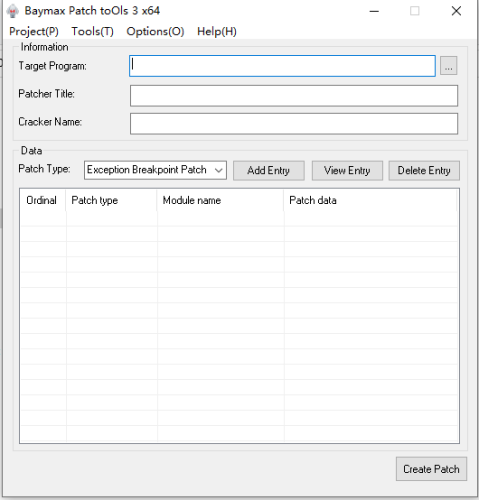 2025.10.15 — x86/x64 v3.5.1.3 1.Patch customization: added a batch of hijack DLLs and you can configure hijack modules on the "Custom Patch Settings" page. Patches can now bundle custom files — non-PE files will be extracted to the target directory together with the patch, while other files can be optionally extracted. Patch data in the cracking modules PYG/PYG64 now supports dynamic expansion. 2.Added a small utility: “Process Hijack DLL Detector” — provides a closed loop from detecting usable hijack DLLs → generating a hijack DLL project → adding that custom hijack module into a patch. 3.The hijack code generator is now compatible with the latest VS2022; fixed intermediate directory settings. 4.When the patch logo popup is closed, the target application's main window is brought to the foreground. 5.The main program now generates a dump file when it crashes. 6.Fixed compatibility issues with VMP 3.x and several bugs — thanks to csjwaman and 真小白 for their bug reports. 7.Added tooltip (tip bubble) support on UI controls so full text can be displayed. 8.Thanks to KuNgBiM and 红豆 for providing multilingual files and proofreading copy. 9.Improved data protection, compatibility, and anti-debugging; thanks to kxoe for the suggestions. 10.Minor UX/details optimizations in the main program — for example, improved prompts when saving bpt projects. Baymax Patch Tools v3.5.1.3.zip Baymax Patch Tools x64 v3.5.1.3.zip Baymax toOls for x64dbg v1.9.5 1. Add replacement function for search data 2. Add feature code option with real-time effect 3. Add more language files Baymax toOls for x64dbg v1.9.5.zip5 points
 -
3 points
Latest release (3.5.1.7) with tuts/videos re-uploaded (English docs under release folders). I hope these will help (sorry, I cannot translate from Chinese 🥺) --> Download3 points
-
3 points
 You dont know even how our forums works I think... Before write any thread you must READ RULES... Our forum based on when you write a good topic you earn 2 points with points you can download Attachements... If you write thank you...etc you do not earn any thing if you write same reply in multiple threads you get banned If you hate our forums leave bro it's very simple...3 points
 -
3 points
Some times to make patch to DLL file with our tool you need to understand when dll target get unpacked firstly this is the most important, and for that you need to understand the best moment of pointer position in main exe while debugging, our Loader able to detect Static Opcode in Static Stack, if you use this way you can Creat a Strong Loader for your Target EXE or DLL.3 points
-
 2 points
m!x0r You are a bad group. If your group at4re.net posts a topic, you will spam and get kicked off the site. The topics you post on the site are topics for the ignorant. I hate you and your site.2 points
2 points
m!x0r You are a bad group. If your group at4re.net posts a topic, you will spam and get kicked off the site. The topics you post on the site are topics for the ignorant. I hate you and your site.2 points -
2 points
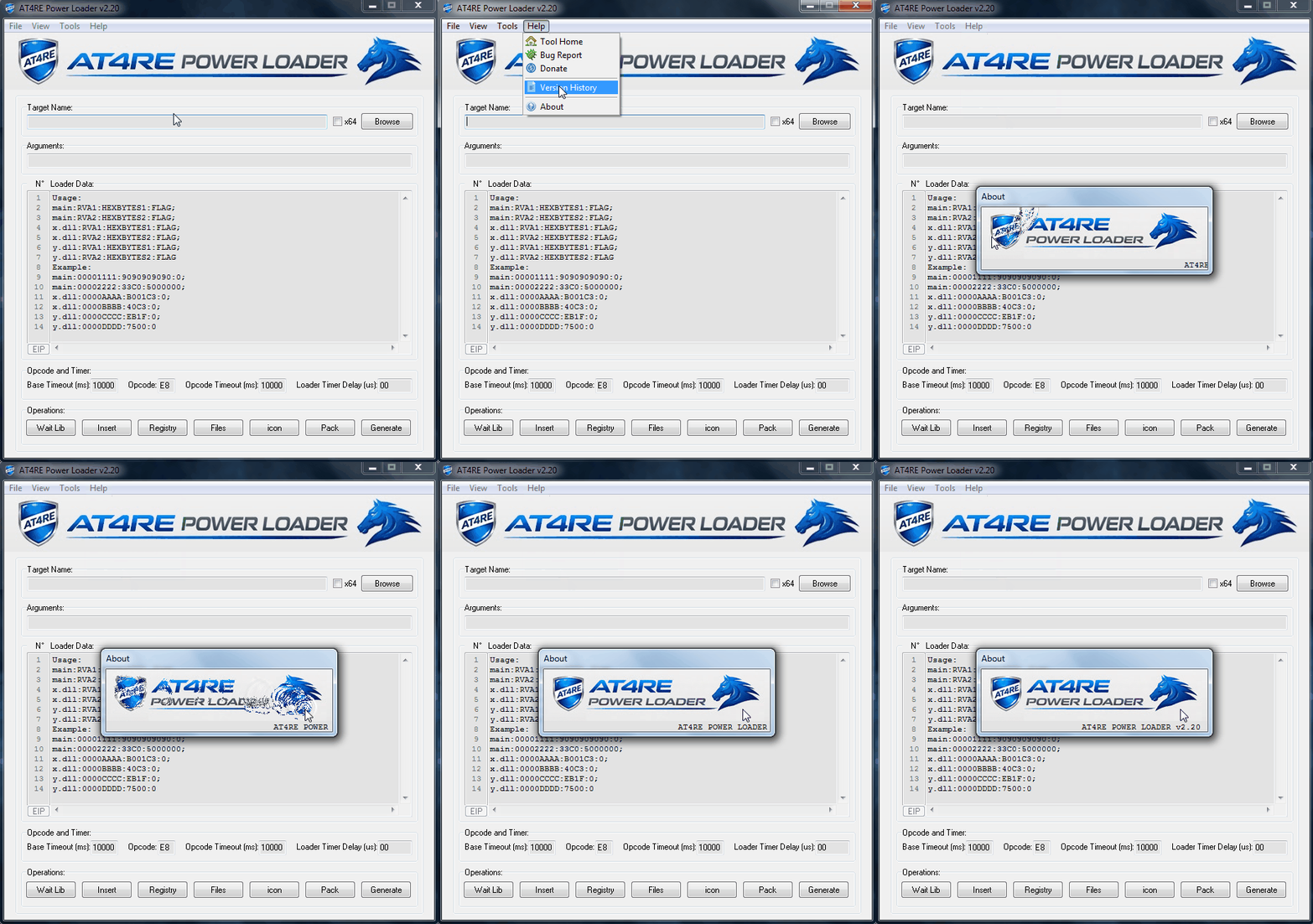
Firstly You Must Set Hardware Breakpoints on your Target address (where you want to make changes) Then You Must Break on System DLL Entry (For Identify the last Loaded DLL Before The Pointer Stop on your Target address) Finally Set Memory Breakpoint on Write at .data Section of your main EXE Here we Go Like Last Example: Our DLL Befor Stop at our address is: wsock32.dll Next Step Restart Target and Finding Static Opcode in Static Stack and check our DLL Target Code if Unpacked Summary: main:0002064F:10:0; tgsdk.dll:00006310:00:0; tgsdk.dll:00006638:74:0When Our Loader Loop Checking First Byte of RVA 1 in Stack and when Checking is OK, That means EIP is running in 004012EC, and our Target DLL is unpacked and ready to write the Loader Data. I hope This Tuto Can Help Greetings AT4RE2 points
-
2 points
Here is an Example: DLL Protected By: ASProtect v2.x Static Opcode in Static Stack: Result: Test Files With ATPL Project & Loader: https://mega.nz/file/HZwxhA7J#aTuTBmfXkWbuGiMWaBhPTJpOfcoJsIB9jGDBkycilww Greetings AT4RE2 points
-
2 points
Thank you, m!x0r. The version 1.8 you released is now free of the issues with my Kaspersky Anti-virus. I've tried a scan and there are no more False or True alarm issues. Thank you again for your hard work.2 points
-
 1 pointThank you so much! Downloading now and will seed for everyone <31 point
 -
 1 point
 -
1 point
The coder want publish his final release only on at4re.net... The loader works with any protector !!!1 point
-
 1 point
 -
1 point
-
1 point
-
1 point
-
 1 point
 -
 1 point
 -
1 point
Master, thank you very much for your interest; we are learning valuable information. However, for a DLL protected by VMP or Themida, how can we detect the point shown in the image via x32dbg? Where should we place the bp, or is there a simpler way? Professor, thank you very much for your interest; we are learning valuable information. However, for a DLL protected by VMP or Themida, how can we detect the point shown in the image via x32dbg? Where should we place the bp, or is there a simpler way?1 point
-
1 point
Unfortunately, it didn't work for me. Would you like me to send you an example exe, DLL, and patch addresses?1 point
-
1 point
Our Tools are 100% Clean we Have Changed The Packer To UPX For avoid Conflicts with AVs, Get Enjoy To Bypass The Most Complex Protectors with Our Loader (Arab Team Hand Made).1 point
-
1 point
-
1 point
Now I Understood your issue ! Are you trying to make patch only on dll but you got error when import 1337 file ? If this your case you must add even a Fake patch on the main EXE Example: Entry point rva of my exe F270 first byte 55 I want make change on my dll rva 4C680 byte 75 to EB Then you MUST enter loader data like this main:F270:55:0; Myfile.dll:4C680:EB:0 Opcode=55 The loader cannot handle DLL direct must handle Exe first then dll And as you see i did not make change on exe but dll yes By this way the loader will work!1 point
-
1 point
Coming Soon... AT4RE Power Loader v1.8 New Feature Added [+] Execute Target with Spicific Parameter. Feature Requested By: CodeExplorer | SND Team. Test Files https://mega.nz/file/rMY1VaYK#jTsG42OJFlsMvumEOGNC5cPOPm4u3ncOVHbnMgampnARAR Pass: www.at4re.net1 point
-
 1 pointThanks for making this! You can run them with ruffle, either in the browser or desktop version. https://ruffle.rs/demo/1 point
 -
1 point
Hello everyone... The Kaspersky Anti-Virus I use detected a Trojan in this file.1 point
-
 1 point
 -
1 point
Tested Successfully with Targets Protected by: VMProtect، Themida, EXECryptor, Obsidium, The Enigma Protector....1 point
-
 Download works fine. MD5 checksum should look like this... Tuts_4_You_UnpackMe_Collection_(2016).rar : ebbc1fe726986f9d8f1e1ca1c3a08c67 Ted.1 point
 -
 0 points