
Leaderboard
-


0x59
Full Member1Points50Posts -

mangel
Junior1Points3Posts -


Gladiator
Full Member1Points389Posts -


lovejoy226
Full Member+1Points1,466Posts
Popular Content
Showing content with the highest reputation since 08/15/2026 in Files
-

 Anti Debug Anti Tamper Delegate Proxy Resource Protect String Virtualization ControlFlow And Mutation Code Virtualization Renamer1 point
 -
1 point
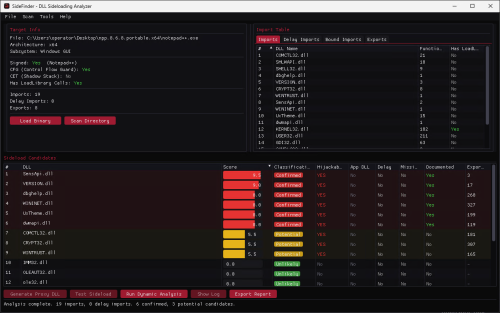 A Windows tool for identifying and analyzing potential DLL sideloading opportunities in Portable Executable files. SideFinder is a Windows GUI application designed to streamline the discovery and analysis of DLL sideloading opportunities in Portable Executable files. It combines static PE inspection, candidate classification, dynamic monitoring, and supporting workflows in a single interface for security research and authorized testing. Features: Parses x86 and x64 PE files, including regular, delayed, bound imports, and exported functions. Identifies and ranks potential DLL sideloading candidates using contextual scoring and classification. Reviews relevant binary properties such as Authenticode signatures, CFG, CET, subsystem, architecture, and LoadLibrary usage. Resolves DLL search paths, KnownDLLs, missing libraries, and DLLs already present alongside the target application. Runs dynamic analysis to observe DLL loads and cross-reference runtime behavior with static findings. Scans complete directories and summarizes candidates across multiple executables and libraries. Optionally enriches results with the community-maintained HijackLibs dataset. Generates ready-to-use proxy or sideload DLLs with customizable payload options, including MessageBox, Shellcode Runner, and custom-code presets. Provides one-click sideload testing with a harmless MessageBox payload to confirm whether a candidate works. Exports analysis results and keeps an activity log for later review. Read the full article at redteamer.es and explore the project on SideFinder.1 point
 -
1 point
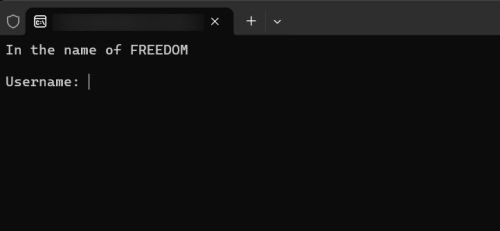 Goal : Find valid username & serial Compiler : C++ Platform : x64-Windows Packed : No Specification : Internal private obfuscation Rule : don't patch binary Note : there is no asymmetric encryption , so you can find it.1 point
 -
 1 point
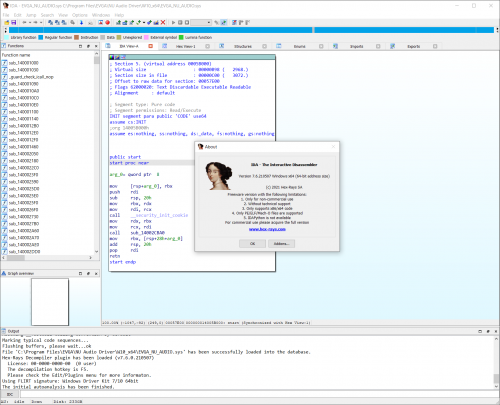 This (completely!) free version of IDA offers a privilege opportunity to see IDA in action. This light but powerful tool can quickly analyze the binary code samples and users can save and look closer at the analysis results. What’s included in the pack? Analyze both 32-bit and 64-bit applications Cloud-based x64 decompiler Local x86/x64 debugger included Support x86/x64 processors Save your analysis results Perpetual license The freeware version of IDA v7.6 comes with the following limitations: no commercial use is allowed lacks all features introduced in IDA > v7.6 cloud-based decompiler lacks certain advanced commands lacks support for many processors, file formats, etc… comes without technical support1 point
 -
 1 point
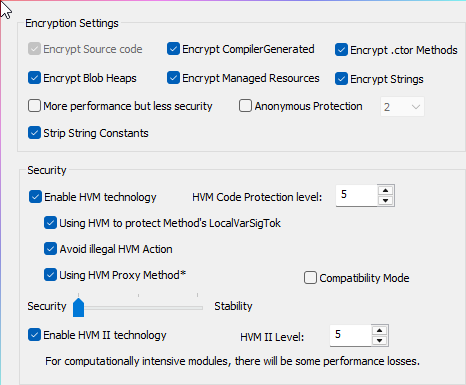 So this is my first upload - I hope I am doing this right. I have included all the protections in the screenshots being used. Good luck1 point
 -
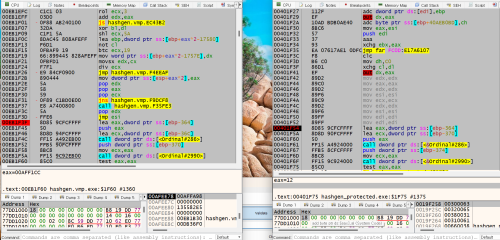 I want you guys who are capable of unvirtualizing and unpacking them to upload the final ones. These files are just the same part of the codes virtualized which are 2 lines of the original mfc source codes. So if you can unvirtualize them and unpack them, please upload the final ones. Any other protections are excluded absolutely. Give it a try and improve your skills. Best Regards. sean.1 point
 -
1 point
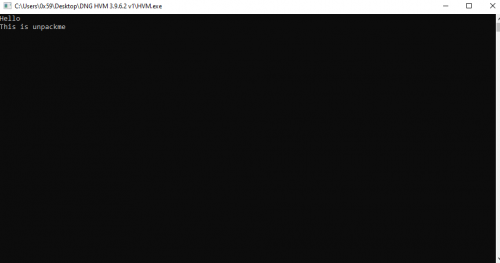 This file is protected using DNGuard HVM 3.9.6.2 Protections used : HVM Jit Challenge is to unpack and post details of methods used.1 point
 -
1 point
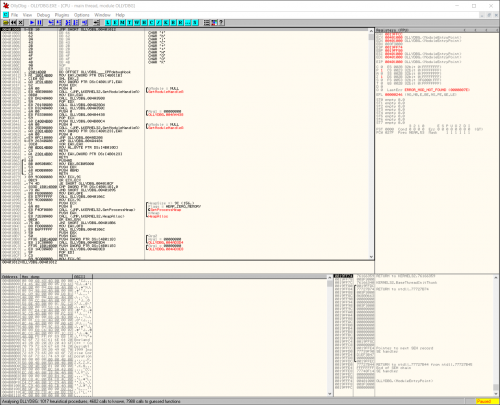 OllyDbg is a 32-bit assembler level analysing debugger for Microsoft® Windows®. Emphasis on binary code analysis makes it particularly useful in cases where source is unavailable. OllyDbg is a shareware, but you can download and use it for free. Special highlights are: Intuitive user interface, no cryptical commands Code analysis - traces registers, recognizes procedures, loops, API calls, switches, tables, constants and strings Directly loads and debugs DLLs Object file scanning - locates routines from object files and libraries Allows for user-defined labels, comments and function descriptions Understands debugging information in Borland® format Saves patches between sessions, writes them back to executable file and updates fixups Open architecture - many third-party plugins are available No installation - no trash in registry or system directories Debugs multithread applications Attaches to running programs Configurable disassembler, supports both MASM and IDEAL formats MMX, 3DNow! and SSE data types and instructions, including Athlon extensions Full UNICODE support Dynamically recognizes ASCII and UNICODE strings - also in Delphi format! Recognizes complex code constructs, like call to jump to procedure Decodes calls to more than 1900 standard API and 400 C functions Gives context-sensitive help on API functions from external help file Sets conditional, logging, memory and hardware breakpoints Traces program execution, logs arguments of known functions Shows fixups Dynamically traces stack frames Searches for imprecise commands and masked binary sequences Searches whole allocated memory Finds references to constant or address range Examines and modifies memory, sets breakpoints and pauses program on-the-fly Assembles commands into the shortest binary form Starts from the floppy disk and much, much more!1 point