

A Windows tool for identifying and analyzing potential DLL sideloading opportunities in Portable Executable files.
SideFinder is a Windows GUI application designed to streamline the discovery and analysis of DLL sideloading opportunities in Portable Executable files. It combines static PE inspection, candidate classification, dynamic monitoring, and supporting workflows in a single interface for security research and authorized testing.
Features:
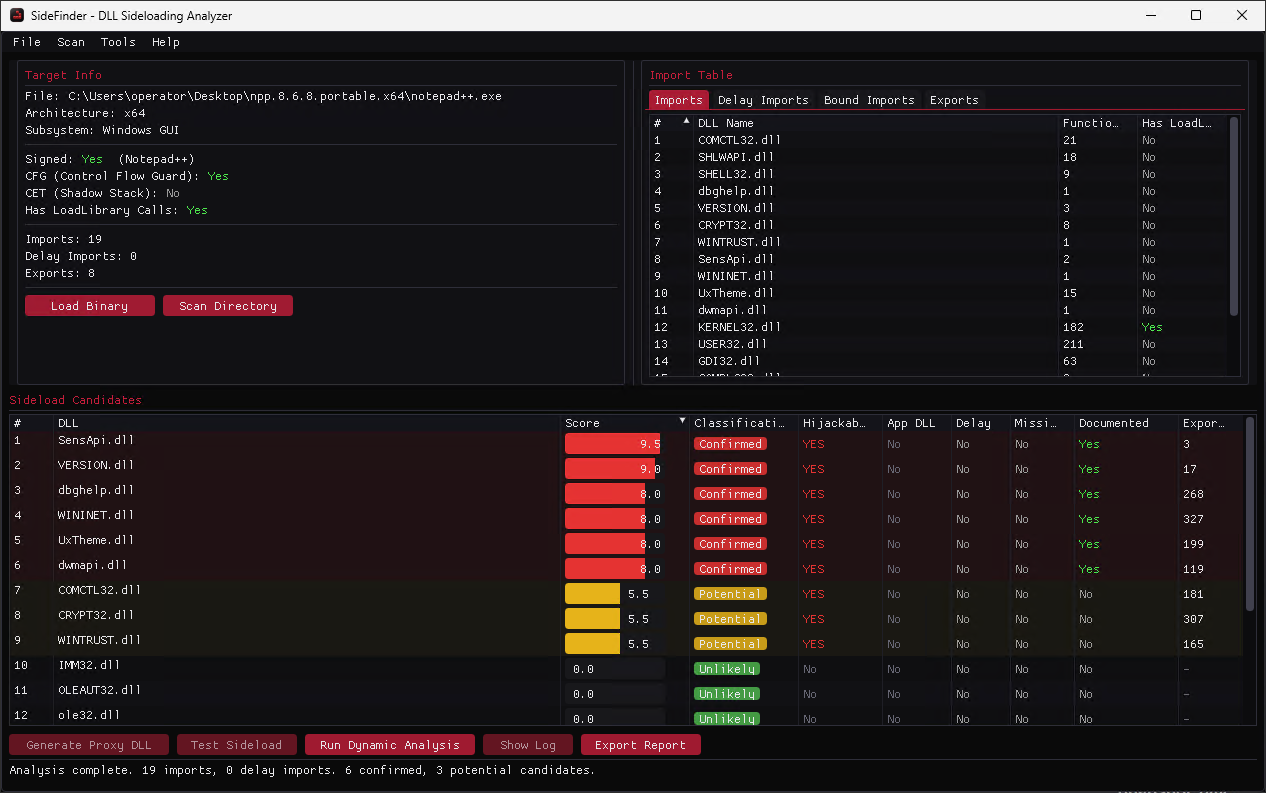
Parses x86 and x64 PE files, including regular, delayed, bound imports, and exported functions.
Identifies and ranks potential DLL sideloading candidates using contextual scoring and classification.
Reviews relevant binary properties such as Authenticode signatures, CFG, CET, subsystem, architecture, and LoadLibrary usage.
Resolves DLL search paths, KnownDLLs, missing libraries, and DLLs already present alongside the target application.
Runs dynamic analysis to observe DLL loads and cross-reference runtime behavior with static findings.
Scans complete directories and summarizes candidates across multiple executables and libraries.
Optionally enriches results with the community-maintained HijackLibs dataset.
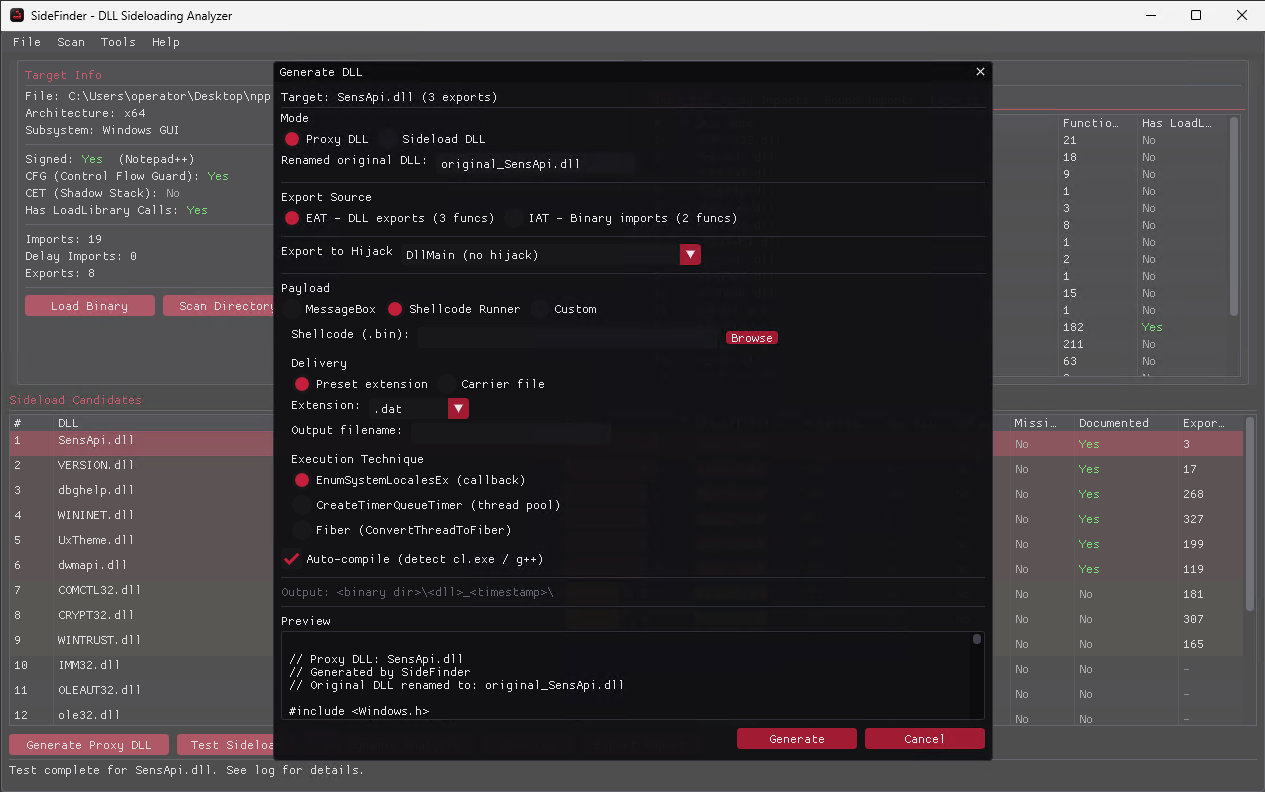
Generates ready-to-use proxy or sideload DLLs with customizable payload options, including MessageBox, Shellcode Runner, and custom-code presets.
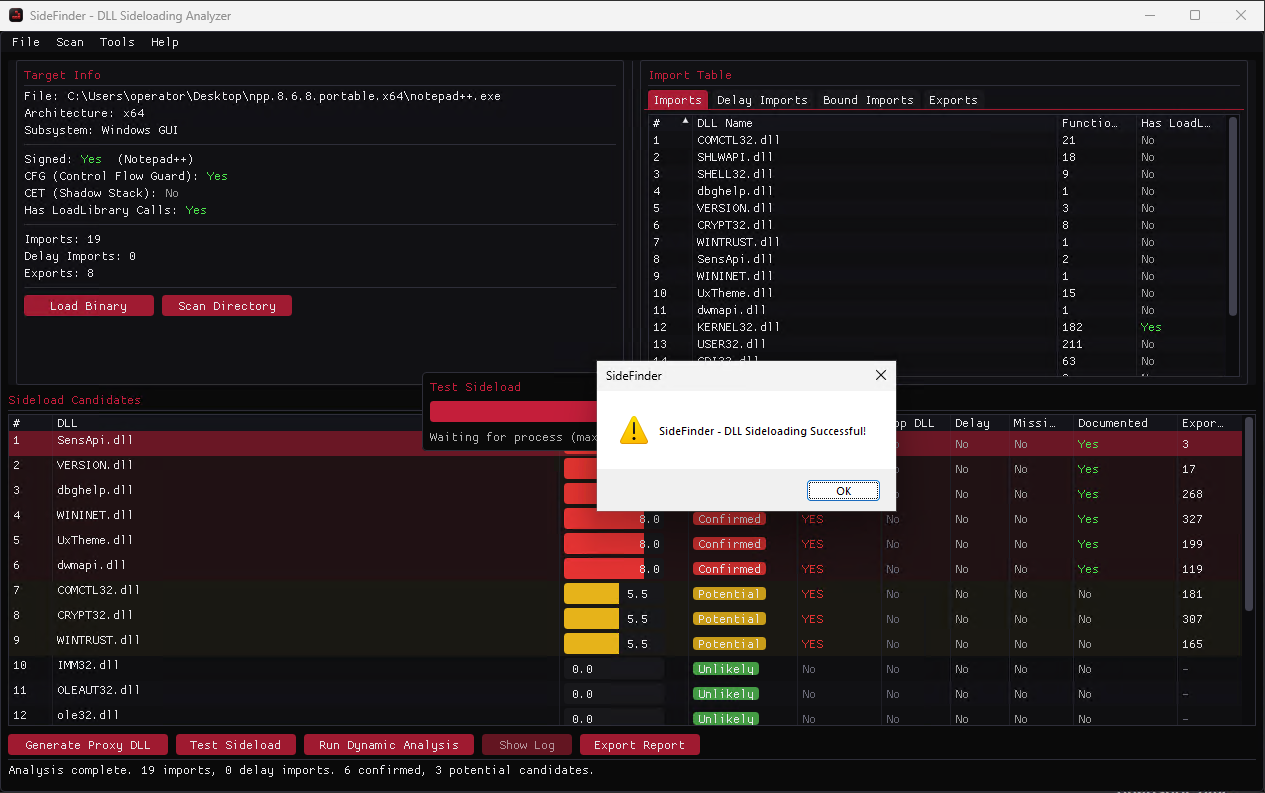
Provides one-click sideload testing with a harmless MessageBox payload to confirm whether a candidate works.
Exports analysis results and keeps an activity log for later review.
Read the full article at redteamer.es and explore the project on SideFinder.
-
 1
1
Recommended Comments
Create an account or sign in to comment