
UnPackMe
31 files
-
The target is an old software (from 2010) coded in c++, I just apply the VMP protection without any special code as I show in the two screenshots. All available protection features in VMProtect were used with this unpackme. Refer to the attached images for the specific protection settings used.
Challenge is to unpack the file, providing an explanation and details on your methodology.
- 1,445 Downloads
 X0rbyUpdated
-
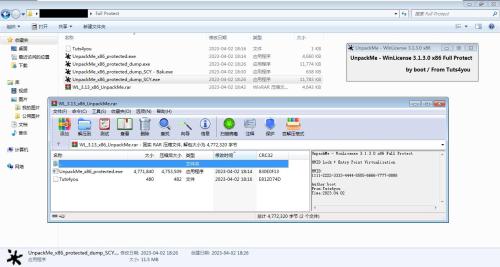
UnpackMe - WinLicense 3.1.3.0 x86 Full Protect
HWID Lock + Entry Point Virtualization + Etc...
HWID:
1111-2222-3333-4444-5555-6666-7777-8888
Author:boot
From:Tuts4you
Time:2023.04.02
- 1,193 Downloads
 bootSubmitted
-
- 519 Downloads
 CodeExplorerUpdated
-
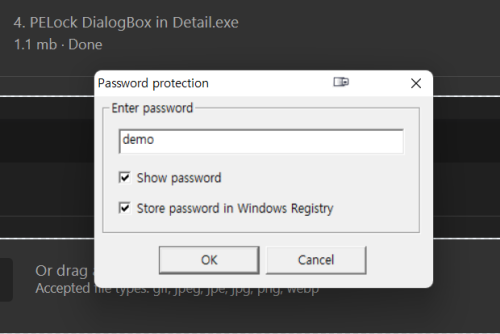
It's a PELock'ed file. Try to unpack it if you have time, if you are a skilled code reverser or the author, you maybe can do it.
Thank you for your effort in advance.
- 270 Downloads
 lovejoy226Updated
-
I have protected a simple file with the Enigma Protector 6.9. Try to unpack.
For a skilled reverser will not be as hard as it seems.
HWID: A7707-65A71-43529-A59E1-41C2F-C5AA0-EB308-3F774 Name: tuts4you Key: BG8QC4UMZW3QMTH99U6ZTF8FJJNDAPKY5E2XNL3CMHRVUMLSB2QWRBSYBGF4RNHX7WC26W2GQMNBNPUU3YUTDXDS387A2UURMUVJ88P5PPC9ZCEQHFHW4J6ZQRAK7GW6DRK4QH4CGCEQM7F9K39J89S4CRARX3L3LPABBXU23M8QXP6A85L2CZFJZF66KF5NFTZ557872DA3
- 1,766 Downloads
 GIVUpdated
-
This is an python unpackme for testing my private python obfuscator
You have to unpack it !
Good Luck
- 286 Downloads
 JosmanSubmitted


Download Statistics
- 2,195 Files
- 388 Comments
- 894 Reviews
-