Skip to content
View in the app

A better way to browse. Learn more.

Tuts 4 You

A full-screen app on your home screen with push notifications, badges and more.

To install this app on iOS and iPadOS
  1. Tap the Share icon in Safari
  2. Scroll the menu and tap Add to Home Screen.
  3. Tap Add in the top-right corner.
To install this app on Android
  1. Tap the 3-dot menu (⋮) in the top-right corner of the browser.
  2. Tap Add to Home screen or Install app.
  3. Confirm by tapping Install.

CrackMe

53 files

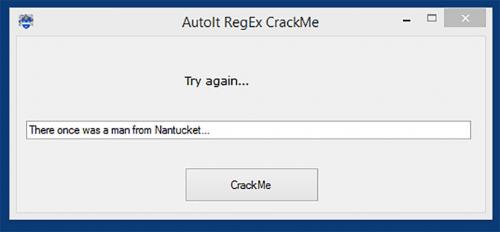
  1. This is a simple CrackMe consisting of an input. The correct input is two stanzas of a particular poem and will reveal a label of the poem title and author upon success. Otherwise, "Try again..." will be displayed.
    If I'm allowed to be picky, I'm primarily interested in scripted efforts to RegEx analyze strings/integers. Very little effort (as in none) went into hiding the correct string. The script was merely passed-through a self-made obfuscator.
    Full disclosure:  It contains rudimentary debugger and compilation checks which, if failed, falls into a while loop with a one second sleep (harmless). But, as stated above, this isn't the focus of what I'm after.

     
     
    • 318 Downloads
    SimplyMercurial
    SimplyMercurial
    Updated
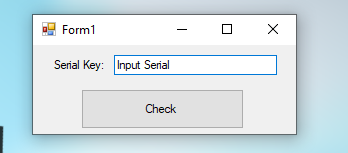
  2. This file is protected by my custom C++ virtualizer and C# protector.
    The correct solution is to find the correct key and unpacked target.
    Enjoy it!
    • 295 Downloads
    KernelPanic
    KernelPanic
    Updated
  3. I made a custom obfuscator and I haven't made any progress cracking it so please crack the file with my custom .NET obfuscator.
    Do not use OllyDbg or any software of that kind, you can use Mega Dumper and other tools similar.
    • 267 Downloads
    Ninjego1
    Ninjego1
    Updated

Download Statistics

Account

Navigation

Search

Search

Configure browser push notifications

Chrome (Android)
  1. Tap the lock icon next to the address bar.
  2. Tap Permissions → Notifications.
  3. Adjust your preference.
Chrome (Desktop)
  1. Click the padlock icon in the address bar.
  2. Select Site settings.
  3. Find Notifications and adjust your preference.