PE and PE+ (x86 and x64) files dump
EXE and SCR files are supported (DLL and OCX is not yet supported)
Engine 1 and Engine 2 for packed and protected files dump
Dump Fix to repair like armadillo files
Tutorials Coming Soon 🙂
Edited by fReestYler

A better way to browse. Learn more.
A full-screen app on your home screen with push notifications, badges and more.

By fReestYler
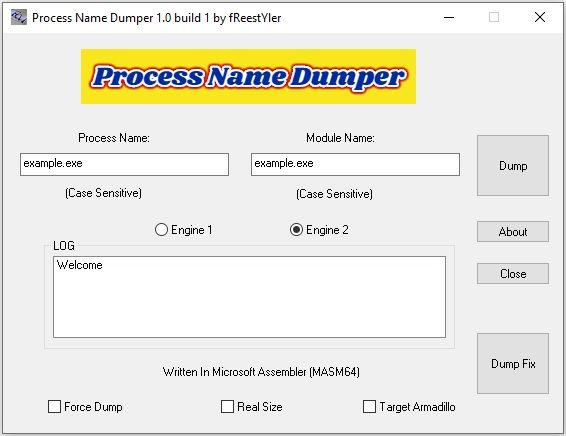
PE and PE+ (x86 and x64) files dump
EXE and SCR files are supported (DLL and OCX is not yet supported)
Engine 1 and Engine 2 for packed and protected files dump
Dump Fix to repair like armadillo files
Tutorials Coming Soon 🙂
Edited by fReestYler
Recommended Comments
Create an account or sign in to comment