Skip to content
View in the app

A better way to browse. Learn more.

Tuts 4 You

A full-screen app on your home screen with push notifications, badges and more.

To install this app on iOS and iPadOS
  1. Tap the Share icon in Safari
  2. Scroll the menu and tap Add to Home Screen.
  3. Tap Add in the top-right corner.
To install this app on Android
  1. Tap the 3-dot menu (⋮) in the top-right corner of the browser.
  2. Tap Add to Home screen or Install app.
  3. Confirm by tapping Install.

.NET Reactor v7.5.9.1 (Aggressive Settings + Custom Anti-Tamper)

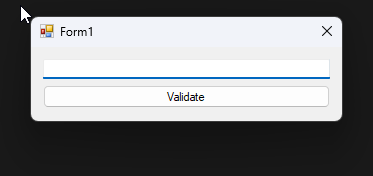
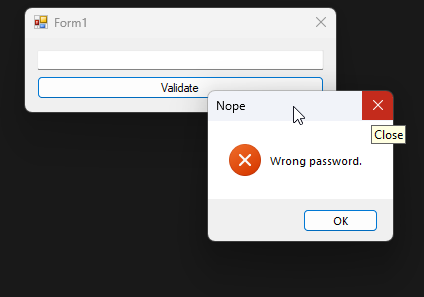
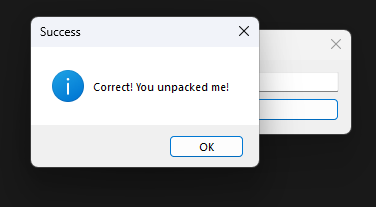
4 Screenshots

Hey everyone,

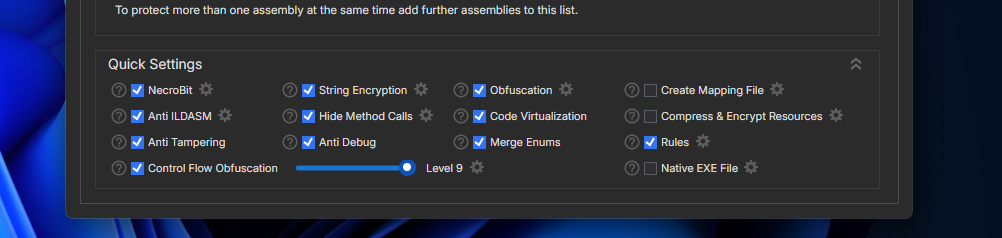
I put together a small challenge for anyone interested in reversing .NET protections. This one is packed using .NET Reactor v7.5.9.1 with some pretty aggressive settings, along with a bit of custom anti-tamper logic on top.

Your goal is to unpack the application and recover a clean, working assembly.

  1. Protections Enabled
    NecroBit
    String Encryption
    Obfuscation
    Anti ILDASM
    Hide Method Calls
    Code Virtualization
    Anti Tampering
    Anti Debug
    Merge Enums
    Control Flow Obfuscation (Level 9)

  2. Additional Protections

    Custom runtime anti-debug

    Anti-injection checks

    Integrity verification

    A background watchdog thread

🎯 Objectives
1. Primary: Unpack the application and produce a clean assembly that runs without errors
2. Bonus: Recover the correct password (completely optional)

User Feedback

Recommended Comments

There are no comments to display.

Account

Navigation

Search

Search

Configure browser push notifications

Chrome (Android)
  1. Tap the lock icon next to the address bar.
  2. Tap Permissions → Notifications.
  3. Adjust your preference.
Chrome (Desktop)
  1. Click the padlock icon in the address bar.
  2. Select Site settings.
  3. Find Notifications and adjust your preference.