

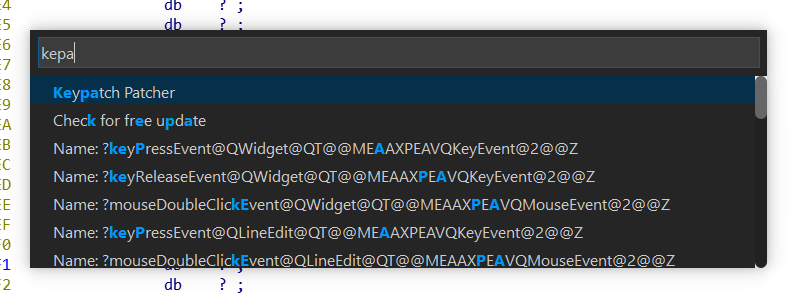
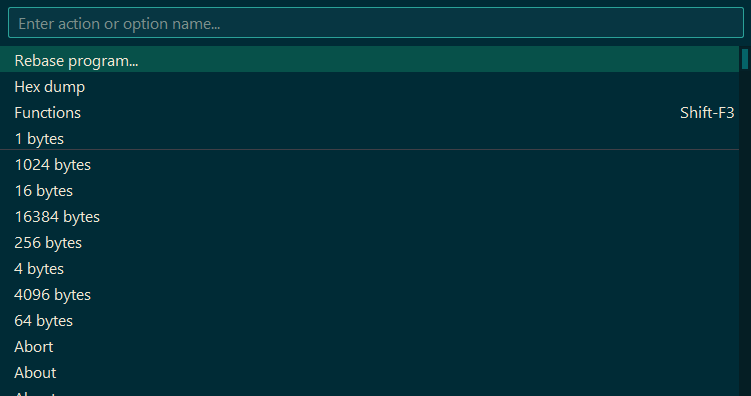

IDA Palette (or its project name: ifred) is a plugin which provides fast search on IDA Pro's commands/menu items or searches through its strings output!
This plugin provides 2 keyboard shortcuts:
Ctrl + P : Searched through IDA's commands
Ctrl + Shift +P : Searched through IDA's string output
Edited by bluedevil
What's New in Version 2026.09.03
Released
Go to CHANGELOG for full release information.
Added
IDA Pro v9.4 support - rebuilt against the IDA Pro SDK v9.4 (hotfix 1)
Windows on ARM64 (aarch64) support
Edit > Plugins > ifredmenu with Settings and About entriesSettings window with two tabs: a Theme Selector and an in-place config.json editor
Light theme, and a gitkraken-light theme (gitkraken is now split into gitkraken-dark / gitkraken-light)
Version information embedded in the built binaries, stamped with the build date (
YYYY.MM.DD): a Windows VERSIONINFO resource, the Mach-Ocurrent_versionon macOS, and a greppableifred version ...string on all platforms
Fixed
Replaced the IDA SDK notification functions deprecated in 9.4 (
hook_to_notification_point/unhook_from_notification_point) with the new event-listener API: dedicatedevent_listener_tlistener classes registered viahook_event_listener/unhook_event_listener. The plugin no longer calls any deprecated SDK function.gitkraken theme: list rows were unreadable (text drawn in the background colour); reworked and split into gitkraken-dark / gitkraken-light
ayudark theme: black/invisible text, wrong sizing and a missing search icon
Search-box placeholder ("Enter action or option name...") was invisible on the ayudark / ayumirage / ayuwhite themes
macOS arm64 binary is now stripped at link time (
-Wl,-x), which keepsLC_ID_DYLIBintact so the plugin loads - a post-buildstripremoved itSilenced a signed/unsigned comparison warning and fixed undefined behaviour when reading an enum back through
va_argin the type enumeration
Changed
Every theme now lives in its own folder under
theme/, so users can add or remove themes and switch between them live from Settings while working in IDA ProThe default (built-in) theme is now a real
dark/folder; ifred ships dark, light, solarized-dark and solarized-light (the remaining themes stay in the repository for manual installation)The palette font is now resolved per-OS and set with a single-value CSS
font-family(Qt does not reliably honour multi-f
-
 2
2
-
 1
1
Recommended Comments
Create an account or sign in to comment